> ## Documentation Index
> Fetch the complete documentation index at: https://docs.lerian.studio/llms.txt
> Use this file to discover all available pages before exploring further.
# Managing disputes
> Track formal disputes raised against reconciliation exceptions in the Matcher UI — filter by state and category, submit evidence, and record dispute outcomes.
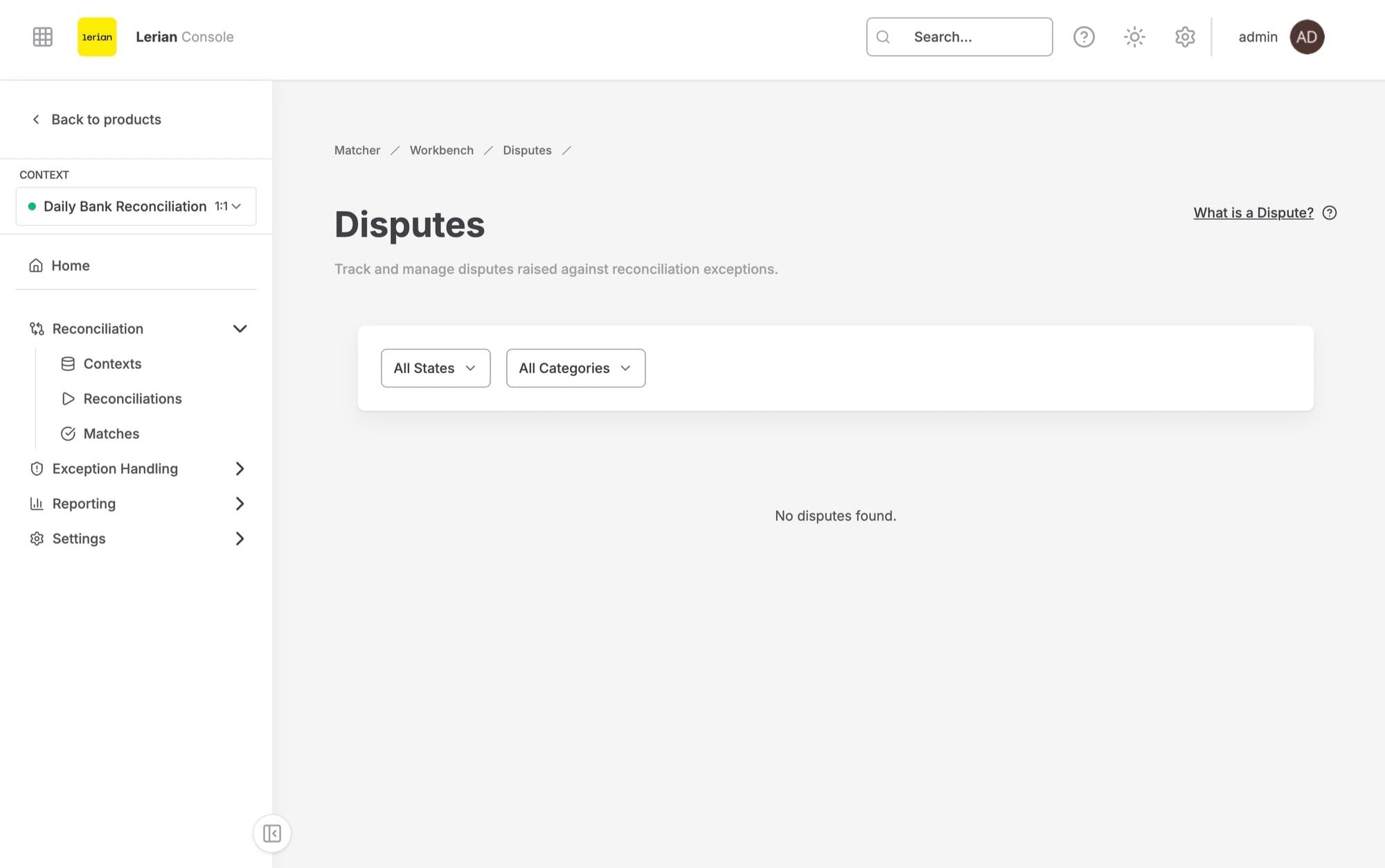
Use the **Disputes** page in the Matcher UI to view and manage all disputes across your reconciliation exceptions. Disputes are formal challenges raised against exceptions, allowing you to submit evidence, track state changes, and record resolutions.
## Accessing the Disputes page
***
Navigate to **Matcher > Exception Handling > Disputes** in the left sidebar.
The page displays a paginated list of all disputes for the selected context, with a status rail summarizing Open, Pending, Won, and Lost counts.
## Filters
***
Use the filter bar at the top of the list to narrow results:
| Filter | Options |
| --------------------------- | ----------------------------------------------------------------- |
| **State** | Draft, Open, Pending Evidence, Won, Lost |
| **Category** | Bank Fee Error, Unrecognized Charge, Duplicate Transaction, Other |
| **Date from** / **Date to** | Restrict results to a date range |
| **Sort by** / **Order** | Sort results, newest or oldest first |
A **Clear filters** button appears when any filter is active.
Amount Mismatch is a create-only category: you can open a dispute with it, but the list filter does not offer it because the disputes API does not accept it as a filter value.
## Disputes table
***
 Each row in the data table displays the following columns:
| Column | Description |
| ------------- | ------------------------------------------------------------------ |
| **Dispute** | The dispute identifier, shown as a link to the dispute detail page |
| **Exception** | The related exception identifier |
| **Category** | The dispute category |
| **State** | Current state |
| **Opened by** | Who opened the dispute |
| **Created** | When the dispute was created |
Click a dispute ID to open the dispute detail page.
## Dispute states
***
| State | Description |
| -------------------- | ------------------------------------------------------------ |
| **Draft** | The dispute has been created but not yet formally opened |
| **Open** | The dispute has been opened and is awaiting review |
| **Pending Evidence** | Additional evidence has been requested or is being collected |
| **Won** | The dispute was resolved in favor of the challenger |
| **Lost** | The dispute was resolved against the challenger |
## Dispute categories
***
| Category | Description |
| ------------------------- | ---------------------------------------------------------------------------------------------- |
| **Bank Fee Error** | A discrepancy caused by an incorrect bank fee |
| **Unrecognized Charge** | A charge that cannot be identified or attributed |
| **Duplicate Transaction** | A transaction that appears to have been processed more than once |
| **Amount Mismatch** | The amounts between source and target do not match (create-only; not offered as a list filter) |
| **Other** | Any other dispute category not covered above |
## Dispute detail page
***
Click a dispute ID to open its detail page. The page header shows the dispute with the **Submit evidence** and **Close dispute** actions, followed by a status rail (Opened by, Updated, State) and three panels: **Information**, **Resolution**, and **Evidence**.
### Information
The **Information** panel displays read-only details about the dispute:
| Field | Description |
| --------------- | ----------------------------------- |
| **Exception** | The related exception ID (copyable) |
| **Category** | The dispute category |
| **Opened by** | Who created the dispute |
| **State** | The current state |
| **Description** | Full description of the dispute |
| **Created** | When the dispute was created |
| **Updated** | When the dispute was last updated |
### Evidence
The **Evidence** panel lists all submitted evidence items, including who submitted each item, when, the comment, and an **Open attachment** link when a file is attached. If nothing has been submitted, the panel reads "No evidence submitted yet."
To add evidence, click **Submit evidence** in the page header. The dialog has two tabs:
| Tab | Fields |
| --------------- | --------------------------------------------------------------------------------------- |
| **Paste URL** | **Comment** (required) and **File URL (optional)** — an HTTPS link to a supporting file |
| **Upload file** | **Comment** (required) and a file chooser — PDF, PNG, JPEG, or CSV, up to 10 MB |
Evidence can be submitted while the dispute is in any non-terminal state: Draft, Open, or Pending Evidence. Once a dispute is Won or Lost, it is closed to new evidence.
### Resolution
The **Resolution** panel shows the recorded outcome as plain text: the **Resolution** explanation and, if the dispute was reopened, the **Reopen reason**.
To close a dispute, click **Close dispute** in the page header and fill in the dialog:
| Field | Description |
| -------------- | -------------------------------------------------- |
| **Outcome** | Select **Won** or **Lost** |
| **Resolution** | Free-text explanation of the resolution (required) |
A dispute can be closed from any non-terminal state (Draft, Open, or Pending Evidence).
Each row in the data table displays the following columns:
| Column | Description |
| ------------- | ------------------------------------------------------------------ |
| **Dispute** | The dispute identifier, shown as a link to the dispute detail page |
| **Exception** | The related exception identifier |
| **Category** | The dispute category |
| **State** | Current state |
| **Opened by** | Who opened the dispute |
| **Created** | When the dispute was created |
Click a dispute ID to open the dispute detail page.
## Dispute states
***
| State | Description |
| -------------------- | ------------------------------------------------------------ |
| **Draft** | The dispute has been created but not yet formally opened |
| **Open** | The dispute has been opened and is awaiting review |
| **Pending Evidence** | Additional evidence has been requested or is being collected |
| **Won** | The dispute was resolved in favor of the challenger |
| **Lost** | The dispute was resolved against the challenger |
## Dispute categories
***
| Category | Description |
| ------------------------- | ---------------------------------------------------------------------------------------------- |
| **Bank Fee Error** | A discrepancy caused by an incorrect bank fee |
| **Unrecognized Charge** | A charge that cannot be identified or attributed |
| **Duplicate Transaction** | A transaction that appears to have been processed more than once |
| **Amount Mismatch** | The amounts between source and target do not match (create-only; not offered as a list filter) |
| **Other** | Any other dispute category not covered above |
## Dispute detail page
***
Click a dispute ID to open its detail page. The page header shows the dispute with the **Submit evidence** and **Close dispute** actions, followed by a status rail (Opened by, Updated, State) and three panels: **Information**, **Resolution**, and **Evidence**.
### Information
The **Information** panel displays read-only details about the dispute:
| Field | Description |
| --------------- | ----------------------------------- |
| **Exception** | The related exception ID (copyable) |
| **Category** | The dispute category |
| **Opened by** | Who created the dispute |
| **State** | The current state |
| **Description** | Full description of the dispute |
| **Created** | When the dispute was created |
| **Updated** | When the dispute was last updated |
### Evidence
The **Evidence** panel lists all submitted evidence items, including who submitted each item, when, the comment, and an **Open attachment** link when a file is attached. If nothing has been submitted, the panel reads "No evidence submitted yet."
To add evidence, click **Submit evidence** in the page header. The dialog has two tabs:
| Tab | Fields |
| --------------- | --------------------------------------------------------------------------------------- |
| **Paste URL** | **Comment** (required) and **File URL (optional)** — an HTTPS link to a supporting file |
| **Upload file** | **Comment** (required) and a file chooser — PDF, PNG, JPEG, or CSV, up to 10 MB |
Evidence can be submitted while the dispute is in any non-terminal state: Draft, Open, or Pending Evidence. Once a dispute is Won or Lost, it is closed to new evidence.
### Resolution
The **Resolution** panel shows the recorded outcome as plain text: the **Resolution** explanation and, if the dispute was reopened, the **Reopen reason**.
To close a dispute, click **Close dispute** in the page header and fill in the dialog:
| Field | Description |
| -------------- | -------------------------------------------------- |
| **Outcome** | Select **Won** or **Lost** |
| **Resolution** | Free-text explanation of the resolution (required) |
A dispute can be closed from any non-terminal state (Draft, Open, or Pending Evidence).